Protect yourself against identity theft
If your PC is connected to the Internet, you should protect your privacy like your grandmother protects her life savings. What with viruses, malware, Trojans and the like omnipresent on the web, and getting more vicious by the day, there is no way you can overlook the safety of your PC. That’s where My Privacy comes in.
Top Recommended Alternative

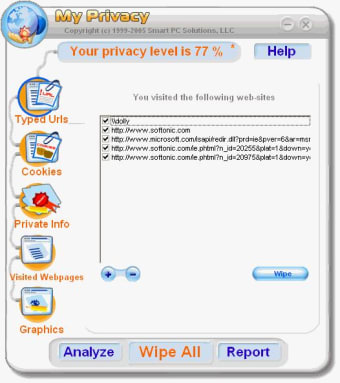
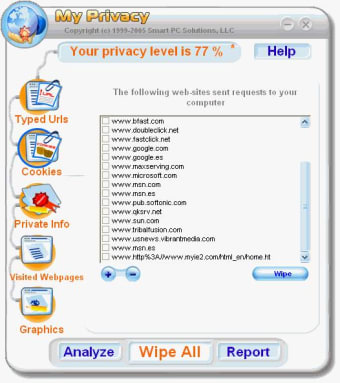
What makes the application attractive is its accessibility. A cartoon-like interface, with large colourful icons depicts each of the options: web pages visited, cookies, private information, graphics and temporary files. Don’t worry about erasing the wrong files by mistake. Once you’ve carried out one of the security tasks, you will see a list of the corresponding files that My Privacy has found. Just click wipe to get rid of them for good. If you’re really lazy you can just click the “Analyze” and “Wipe” buttons at the bottom and My Privacy will take care of everything. You should consider carrying out these tasks daily if you use the Internet often.
How do you know that you’ve performed all the My Privacy tasks fully? Just check out the privacy level percentage at the top. It’s a mystery as to how this number is calculated and what it really means. Is it the amount of files My Privacy has erased? Is it the percentage of My Privacy tasks you’ve carried out? From our observations, we guessed it corresponded to the amount of files you erased out of all the ones My Privacy found. So if you’ve wiped out everything, it should tell you your privacy level is 100%. You should be aware by now though that the web is riddled with dangers and that it’s impossible to have total protection. A 100% privacy level doesn’t mean you’re bullet proof against any threat.
The basic PC user will enjoy My Privacy’s security recommendations, found in the options section. These are obvious yet often overlooked tips to improve the safety of your PC. For example, did you know that using autofills in online forms puts you at risk? What about allowing access to temporary file preferences? Check that you’ve tweaked them to My Privacy’s recommendations to increase the privacy of your PC.
My Privacy’s weakness lies in its purpose. When run for the first time, the program failed to identify all of the cookies, temporary files and private information stored in the PC. Basic information like the cache could not even be wiped. We also realized that My Privacy had no way of blocking pop ups or websites, an absolute necessity when browsing the web.
My Privacy makes beginners aware of the importance of privacy on the web and what steps they should take to protect it. Unfortunately, in terms of security, the program does not offer anything you wouldn’t find in full security suites. Chances are if you’re using a relatively recent browser like Opera or if you have a good antivirus program you’ll be able to carry out the same security tasks much more efficiently.